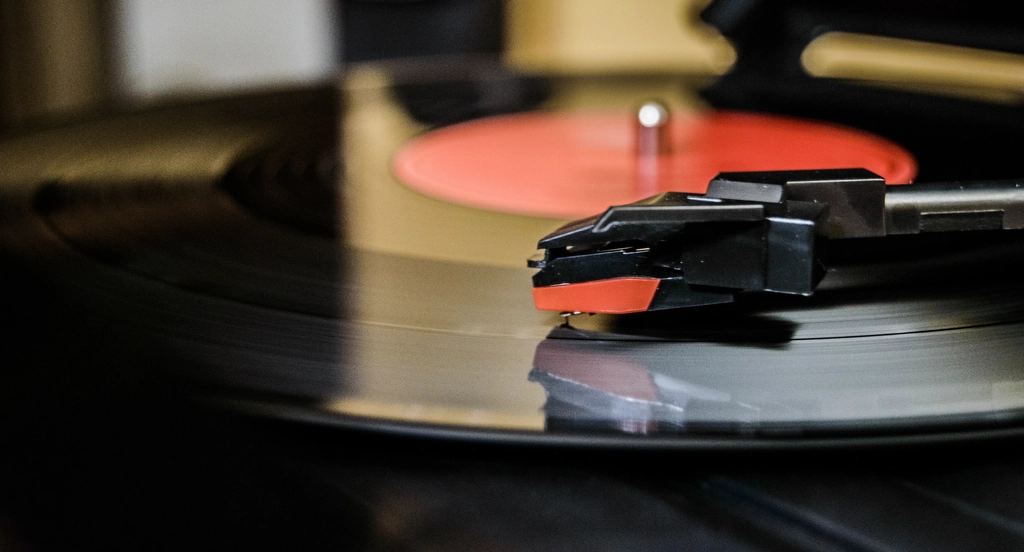
A vinyl release has a clock on it. The record hits streaming at a set time, and your store should hit at the same time. Miss it by two hours and the fans who came looking for the physical copy already closed the tab.
Vinyl has its own quirks too. Color variants. A pressing that runs out and never comes back. A preorder window that opens weeks before the record ships. Shopify handles some of this natively. Some of it, you have to line up yourself. Here's how to do both without babysitting the dashboard.
What Shopify already does for you
Give Shopify credit where it's due. On any plan, including Basic, you can schedule a product going live.
Open the product, go to the Online Store availability, and choose to schedule availability for a future date and time. Shopify publishes it to that channel at the moment you picked. No app needed for the basic version of "make this record show up Friday at midnight."
Two things to know:
- It runs on your store's timezone (Settings, then General), not the customer's local time. If your record drops at midnight Eastern and your store is set to Pacific, set the schedule to 9:00 PM. Shopify won't localize it for you.
- It schedules the product going live. There's no native scheduled unpublish, no native way to publish 30 products at once, and no way to tie the publish to a price change or discount in the same action.
That last part is where most vinyl launches get messy. You rarely have one product doing one thing. You have a preorder that turns into a live sale, a discount that expires, and a color variant that sells out. All on a timer.
The preorder window
Most vinyl sells on preorder. The record isn't pressed yet, but you want the money and the demand signal now.
You have two clean ways to run this on Shopify:
- Preorder as its own listing. Put the record up early with preorder language in the title and description, and use continue-selling so orders keep coming even at zero stock. When pressing finishes and stock lands, you flip the messaging and set real inventory.
- Scheduled go-live only. Skip preorders and schedule the product to publish at the exact release moment. Cleaner, but you leave the early demand on the table.
If you run the preorder route, the annoying part is the switch. At some point the "preorder, ships in June" copy has to become "in stock, ships now," and the price might change from a preorder rate to full. Doing that by hand means being at the keyboard on the exact day it matters.
That handoff is schedulable. With Schedule It you can chain a metafield or tag update, a price change, and an inventory set into one automation that fires at the ship date. The preorder becomes a live product on its own. For a fuller comparison of the two approaches, see preorder vs scheduled launches.
Color variants and limited pressings
Vinyl loves variants. Black, translucent red, splatter, the club-exclusive color. Each is usually a variant under one product, sometimes its own product if the pressings are truly separate.
The scheduling problems here are specific:
- A color sells out mid-launch. The blue pressing is 300 copies. When it's gone, you want it disabled so nobody buys a variant you can't ship. Native Shopify won't disable a variant on a timer for you.
- A staggered color reveal. You hold the splatter variant back and enable it a week later to give the drop a second wave.
- A pressing that ends. Limited run, hard cutoff. When the window closes, the product comes down.
Schedule It can enable or disable a variant at a set time, set inventory per variant and location, and unpublish the whole product when the run ends. Set an end time and it auto-reverts to the previous state, so a 48-hour exclusive rolls back on its own.
For a truly limited pressing, schedule the unpublish before you announce it. Fans respect a real deadline more when the "sold out, gone" moment is exact and not "sometime after the founder wakes up." Set the end time, set an email alert, walk away.
Lining up the whole drop
The release moment isn't one change. It's usually several at once:
- Product publishes to the online store.
- Preorder price flips to release price.
- A launch-week discount turns on (and later expires).
- The announcement bar switches to "Out now, order the vinyl."
Shopify schedules discounts natively, start and end times both, on every plan. It schedules the product publish. What it doesn't do outside of Shopify Plus is fire all of these together as one coordinated event. On Plus you'd reach for Launchpad, which is Plus-only. On Basic, Shopify, or Advanced, you don't have that.
That's the gap Schedule It fills. Chain the publish, the price change, the discount, and the announcement bar into one automation set to your release time. They fire together, server-side, at the exact minute. No theme code for the announcement bar. If a Shopify call hiccups, it retries automatically, and logs every step with a timestamp and request id. You get an email when it's done.
Announcement bars and theme publishes have no native scheduling on standard plans. Normally you'd edit the theme by hand at go-live. Scheduling the bar on and off without touching theme code is one of the more useful pieces for a release day.
If you want a full pre-launch runbook, the limited-edition drop guide walks the whole sequence step by step.
A simple release-day setup
Here's a clean version for one record with three color variants, a preorder, and a Friday midnight drop.
- Build the product now with all three color variants. Leave it unpublished.
- Schedule the publish for Friday at your release time, in store timezone.
- In the same automation, flip preorder price to release price and turn on the launch discount.
- Add the announcement bar on for release week, set to auto-off when the discount ends.
- For the limited color, set an end time so the variant disables when the pressing runs out.
Five steps up front. Zero the night of. Check the features list for the full set of actions, and the pricing page if you want to know what fits on the free plan.